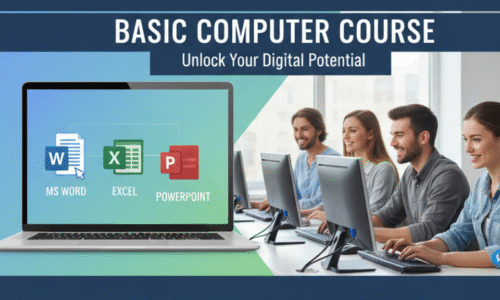
The Basic Computer Course is designed for beginners who want to build a strong foundation in computer operations, digital literacy, and office productivity tools. This course is ideal for students, job seekers, office staff, entrepreneurs, and homemakers who want to improve their computer skills for academic, professional, and personal use.
What is a Computer?
History and Evolution of Computers
Characteristics of Computers
Applications of Computers
Types of Computers (Desktop, Laptop, Tablet, Smartphone)
Advantages and Limitations of Computers
Input Devices (Keyboard, Mouse, Scanner, Webcam)
Output Devices (Monitor, Printer, Speakers)
CPU Components (ALU, Control Unit, Registers)
Memory Types
Primary Memory (RAM, ROM)
Secondary Memory (Hard Disk, SSD, Pen Drive)
Motherboard and Ports
Power Supply and UPS
System Software vs Application Software
Operating Systems Overview
Popular Operating Systems (Windows, Linux, macOS)
Utility Software
Open Source vs Licensed Software
Introduction to Windows Interface
Desktop, Icons, Start Menu, Taskbar
File and Folder Management
Creating, Renaming, Copying, Moving, Deleting Files
Control Panel and Settings
Using Paint and Notepad
Shortcuts and Basic Troubleshooting
Introduction to MS Word
Creating and Saving Documents
Text Formatting (Font, Size, Color, Alignment)
Paragraph Formatting
Page Setup and Margins
Tables, Images, Shapes
Header, Footer, Page Numbers
Spell Check and Grammar
Printing Documents
Resume and Letter Creation
Introduction to MS Excel
Workbook and Worksheet Basics
Data Entry and Formatting
Rows, Columns, and Cells
Basic Formulas and Functions
SUM, AVERAGE, MIN, MAX, COUNT
Sorting and Filtering Data
Charts and Graphs
Basic Data Analysis
Printing Excel Sheets
Introduction to MS PowerPoint
Creating Slides
Slide Layouts and Themes
Adding Text, Images, Charts
Animations and Transitions
Slide Show and Presentation Techniques
Business and Academic Presentations
What is Internet?
Web Browsers (Chrome, Edge, Firefox)
Search Engines and Effective Searching
Creating and Managing Email Accounts
Sending and Receiving Emails
Attachments and CC/BCC
Online Forms and Applications
Introduction to Cloud Storage (Google Drive)