Course Overview
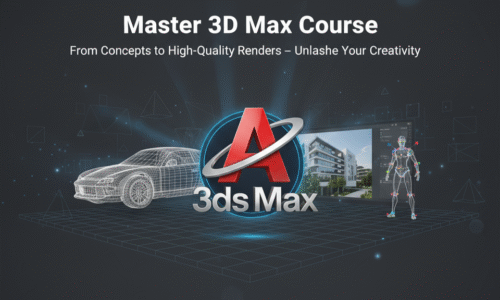
The 3D Max course is designed to provide complete training in 3D modeling, texturing, lighting, rendering, and animation using Autodesk 3ds Max. This course is widely used in industries such as architecture, interior design, gaming, animation, advertising, and product visualization. It is ideal for beginners, design students, architects, interior designers, and aspiring 3D artists.
Module 1: Introduction to 3D Graphics & 3ds Max
- What is 3D design and animation?
- Applications of 3ds Max
- Industries using 3ds Max (Architecture, Games, Films, Ads)
- Understanding 2D vs 3D graphics
- Overview of Autodesk 3ds Max
- System requirements and installation
Module 2: 3ds Max Interface & Navigation
- Understanding the 3ds Max workspace
- Viewports and viewport navigation
- Coordinate systems (X, Y, Z axis)
- Transform tools (Move, Rotate, Scale)
- Snapping tools
- Customizing workspace
Module 3: Basic Modeling Concepts
- Introduction to 3D objects
- Primitive objects (Box, Sphere, Cylinder, Cone)
- Splines and shapes
- Editable Poly basics
- Vertex, Edge, Border, Polygon modes
- Basic modeling exercises
Module 4: Advanced Modeling Techniques
- Polygon modeling techniques
- Editable Poly modifiers
- Boolean operations
- ProBoolean modeling
- Symmetry modifier
- Modeling complex objects
- Low-poly and high-poly modeling concepts
Module 5: Architectural Modeling
- Floor plan understanding
- Wall, door, and window modeling
- Staircase and railing creation
- Furniture modeling basics
- Interior space modeling
- Exterior building modeling
Module 6: Materials & Texturing
- Introduction to materials
- Standard and Physical materials
- Material Editor overview
- Applying textures and maps
- UVW mapping
- Realistic texture application
- Using bitmap textures
Module 7: Lighting Techniques
- Importance of lighting in 3D scenes
- Types of lights (Standard, Photometric)
- Daylight system
- Interior lighting setup
- Exterior lighting setup
- Light intensity and shadows
Module 8: Cameras & Scene Composition
- Camera types
- Placing and adjusting cameras
- Camera angles and composition
- Depth of field
- Scene framing techniques
Module 9: Rendering Basics
- What is rendering?
- Render setup options
- Scanline renderer basics
- Introduction to V-Ray / Corona Renderer
- Render elements
- Output settings
Module 10: Realistic Rendering (V-Ray / Corona)
- V-Ray / Corona interface overview
- Material creation in V-Ray / Corona
- Lighting with V-Ray / Corona
- Camera settings
- Global illumination
- Achieving photorealistic renders
Module 11: Animation Basics
- Introduction to animation
- Timeline and keyframes
- Object animation
- Camera animation
- Walkthrough animation
- Simple motion effects
Module 12: Post-Production & Output
- Render passes
- Image correction basics
- Output formats (JPEG, PNG, EXR)
- Introduction to Photoshop for rendering output
- Final presentation techniques
Module 13: Real-Time Projects
- Interior design project
- Exterior building visualization
- Product visualization project
- Animation walkthrough project
- Client-style project workflow
Module 14: Portfolio Development
- Creating professional renders
- Project presentation techniques
- Building a 3D portfolio
- Preparing work for clients and interviews
There are no items in the curriculum yet.